
AAC Communication App: How to Choose the Right Fit

AAC is not a test a person must pass before they can communicate. An AAC communication app may be worth exploring when speech is difficult to understand, unreliable, or not enough for someone to express everything they want to say. The app might use symbols, typing, recorded messages, or synthesized speech. It can also work alongside speech, gestures, signs, and other communication methods. The person’s preferences should guide how and when they use it. In this guide, you’ll learn who may benefit from AAC apps, what features to compare, and how caregivers, speech-language pathologists, and assistive technology specialists can support a thoughtful choice.
Key Takeaways
- Center the AAC user’s goals and preferences
: Choose vocabulary, app features, and a device that support communication across the person’s daily settings.
- Assess the full communication setup
: Compare access methods, screen layout, voice and language options, durability, accessories, and available support. Arrange a trial with an SLP or assistive technology specialist.
- Make AAC part of everyday interactions
: Keep the system within reach, model its use naturally, allow time to respond, and revisit settings as communication needs change.
What Is an AAC Communication App?
An augmentative and alternative communication (AAC) app helps a person communicate when speech is not reliable or does not meet their needs. The user might select symbols, type words, or choose a stored message. Depending on the app and device, a message can appear on screen, play as a recording, or be spoken aloud using a synthesized voice. AAC apps are one form of aided communication, alongside picture boards, communication books, and speech-generating devices. ASHA’s overview of AAC explains how different communication methods can support people with a range of needs.
Apps vary in how they organize language and how people use them. Some focus on symbols and ready-to-use vocabulary; others offer a keyboard or combine text and symbols. An app may run on a personal phone or tablet, or be used as part of a dedicated communication device. The right setup depends on the person’s preferences, access needs, daily settings, and goals. It can also change over time, so consider whether the app and device can be personalized as needs evolve. Forbes AAC offers options including CoughDrop AAC software and ProSlate speech-generating devices.
How AAC apps support communication
An AAC app gives a person a way to create and share messages using a method that works for them. They might select a symbol for “water,” combine symbols to make a longer message, or type a sentence. The app can display the message or speak it aloud. This can help someone express choices, ask questions, join conversations, and share ideas during everyday routines. AAC app guidance describes how these tools can support people who have difficulty communicating through speech alone.
Some people use an app throughout the day, while others rely on it in particular situations, such as a noisy setting or a conversation where their speech is hard to understand. An app can support communication without replacing speech or other methods. A speech-language pathologist (SLP) can help identify useful vocabulary and personalize the system for the person’s needs.
How apps use symbols, text, recorded messages, and speech
AAC apps may use symbols, text, recorded messages, or a mix of these. Symbol-based apps let users choose pictures or icons that represent words and phrases. This can help people who do not yet read or spell independently. Text-based apps offer a keyboard for typing, while some systems combine symbols and text so a person can choose how to create each message. AssistiveWare’s AAC guide describes how both text and symbols can support aided communication.
Some apps speak typed text or selected symbols using a synthesized voice. Others let users record messages, such as familiar phrases or greetings. Voice and vocabulary choices can make the system more personal and useful, so consider the user’s language, interests, and everyday communication needs when comparing options.
How apps differ from dedicated speech-generating devices
An AAC app is software. It may run on a general-purpose phone or tablet, or on a dedicated speech-generating device (SGD) designed for communication. An SGD may pair communication software with features such as a durable case, a built-in speaker, or access options suited to the user. The device and app may also offer ways to personalize vocabulary and settings.
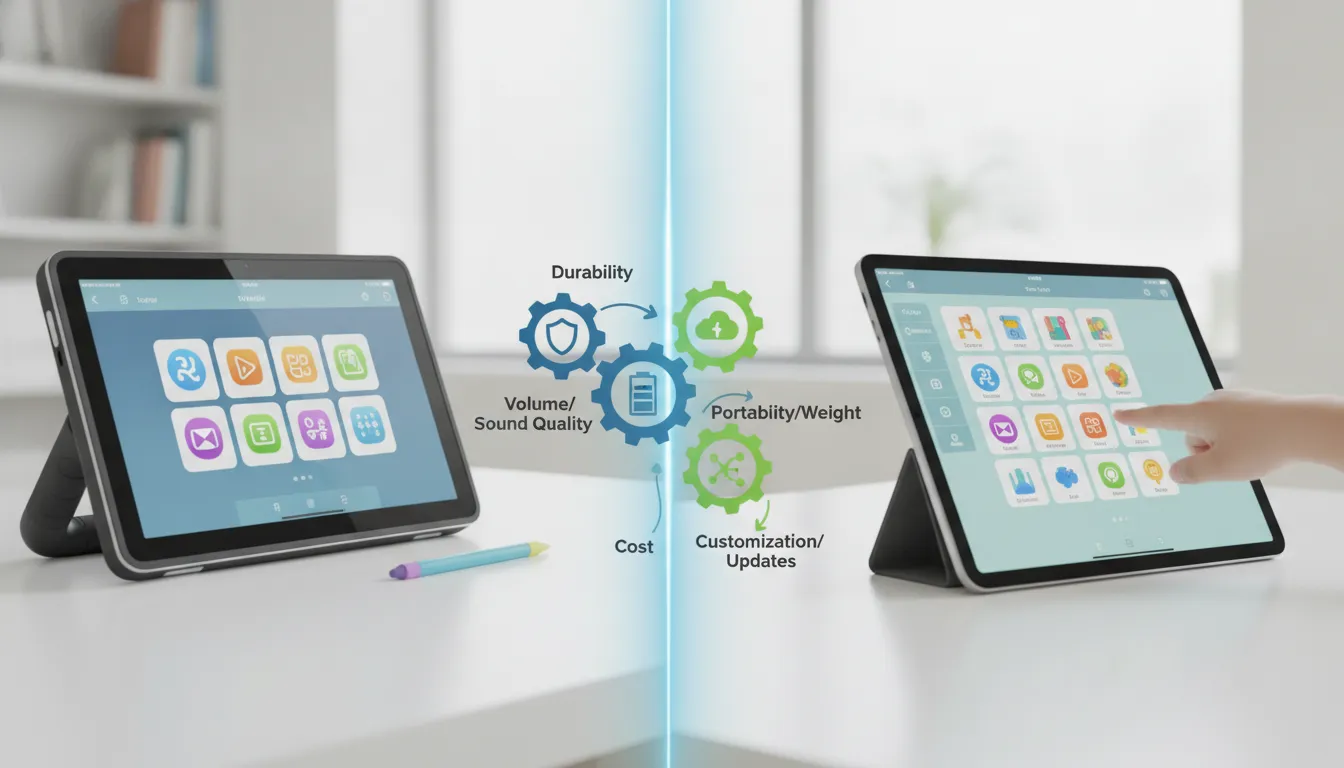
The distinction is not always the software itself. Similar AAC apps may be available on different devices, so compare the complete setup: screen size, sound, portability, durability, access method, and available support. A communication plan may also include a low-tech backup, such as a printed communication board, for times when a device is unavailable or needs charging. An SLP or assistive technology specialist can help compare options and arrange a trial.
How AAC works alongside speech, gestures, and other communication
AAC is not an either-or choice between an app and speech. Many people communicate in several ways, combining an AAC system with speech sounds, word attempts, gestures, facial expressions, signs, photos, or writing. The method may change depending on the person, setting, conversation partner, or message. Someone might point to a choice, use a gesture to add meaning, then use an app to share a longer thought. ASHA’s AAC resource describes how people can combine communication methods.
Communication partners can help by acknowledging every attempt and giving the person time to respond. Avoid assuming that one method tells the whole story: someone may have more to say than they can express through speech alone. Keep the app available, but let the user decide which communication method works best in each moment.
Who Can Benefit from an AAC App?
An AAC app may help someone communicate when speech is difficult to understand, unreliable, or unavailable in some situations. That need may be ongoing or change over time. Some people use AAC alongside speech, while others rely on it more often. The right approach depends on the person’s communication needs and preferences, not just on a diagnosis.
AAC can offer ways to share ideas, make choices, ask questions, join conversations, and express preferences. Apps may use symbols, typed words, recorded messages, or a combination of options. A person might use different methods in different settings, or with different communication partners. There’s no single pattern that works for everyone.
The American Speech-Language-Hearing Association’s AAC guidance describes AAC as an option for people with a range of communication needs, with no specific prerequisites for getting started. Choosing an app is best treated as a collaborative process: the person who will use it should help guide the decision, alongside family, caregivers, and professionals such as a speech-language pathologist (SLP). Together, they can consider what the person wants to say, how they’ll access the app, and where they plan to use it.
Support people with developmental disabilities or speech differences
People with cerebral palsy, autism, intellectual disabilities, and other developmental conditions may use AAC when speech does not fully meet their communication needs. An app can provide another way to express thoughts, make requests, tell stories, or take part in everyday interactions.
AAC doesn’t have to replace speech or other communication. A person may speak in familiar situations and use an app to clarify a message or communicate when speaking takes extra effort. Gestures, facial expressions, speech, and AAC can all work together. When exploring an app, consider whether its vocabulary and layout reflect what the person wants to communicate, rather than assumptions about what they understand or can learn. An SLP can help assess communication needs and identify options to try.
Support people with acquired conditions or changing communication needs
AAC may also help people whose communication changes after a stroke or brain injury, or because of conditions such as ALS or Parkinson’s disease. Some people use AAC temporarily while recovering; others may need ongoing support or expect their communication needs to shift over time.
An app can help someone share messages, make choices, and take part in conversations when speech is tiring or difficult to understand. It’s helpful to consider both current needs and possible future changes, including how the person will access the app. For example, someone may need a different way to select words if using a touchscreen becomes difficult. An SLP or assistive technology professional can help evaluate communication tools and access methods that fit the person.
Explore AAC without prerequisites
There’s no required age, language level, thinking skill, or motor ability a person must reach before trying AAC. The person’s current strengths and support needs can help guide which tools and access options to explore, but they don’t have to prove they’re ready before they can try a system.
Some apps use symbols, while others support typing or combine text and symbols. A person may need help selecting messages, moving through the app, or using a switch or another access method. Those needs can be part of an assessment, not a reason to rule out AAC. The ASHA AAC resource explains that there are no specific prerequisites for starting. An SLP can help arrange a trial, explore access options, and give the person and their communication partners time to learn what works.
Start with the user’s goals, preferences, and voice
The person who will use the app should have a meaningful role in choosing and personalizing it. Ask what they want to communicate, where they plan to use AAC, and what matters to them in an app. Their interests, routines, language, and preferred voice can all help shape a system that feels useful and personal.
Families, caregivers, SLPs, and assistive technology professionals can share observations and offer support while keeping the user’s preferences central. Consider whether the app makes it easy to say everyday phrases, share opinions, and add vocabulary over time. Avoid narrowing choices based only on current skills; communication needs and abilities can change. Families and professionals can also contact a Forbes AAC specialist to discuss available solutions and next steps.
What Types of AAC Apps Are Available?
AAC apps can support communication in several ways. Some let users select symbols, some offer a keyboard for typing, and others provide recorded messages or speech generation. Many combine these features, giving users options for different messages and situations. A person might select a symbol to share a quick request, then type a more specific thought or use a saved phrase to join a familiar routine.
The right app depends on the person’s communication goals, preferences, and access needs. Consider how they understand and express language, what they want to talk about, and how they use a screen or device. The American Speech-Language-Hearing Association’s AAC guidance recommends considering a person’s strengths and current skills while planning for future growth. An app should make communication useful today and adaptable as the person’s needs or routines change.
Build messages with symbol-based apps
Symbol-based AAC apps display pictures, symbols, or visual scenes that users select to create messages. Depending on the app, tapping a symbol may speak a word or phrase aloud, or add it to a message that the user can build piece by piece. Symbols can help users communicate requests, opinions, comments, and other ideas without relying on spelling each word.
Symbol layouts vary. Some show a small number of choices at once, while others provide a larger vocabulary or organize words by category. The best fit depends on what the user can see, understand, and access comfortably. A symbol-based AAC app overview explains how visual selections can produce spoken messages. An SLP can help assess which vocabulary and layout support the user’s communication across everyday settings.
Type and speak messages with text-based apps
Text-based AAC apps let users type words and have them spoken aloud. Features such as word prediction, stored phrases, and shortcuts can make common messages faster to produce. Typing may work well for people who read and spell comfortably, and it gives users flexibility to create messages beyond a set of preselected symbols.
When comparing apps, check keyboard size, display options, voice choices, and support for the languages the user communicates in. Some people benefit from both text and symbols, using each option according to the message or setting. AssistiveWare’s guide to AAC describes how communication systems may use text, symbols, or both. A trial can help show whether typing feels comfortable and whether the app makes it easy to find and share words.
Record messages or generate speech with apps
Some AAC apps let users record messages, while others use text-to-speech to speak words selected from symbols or typed on a keyboard. An app may offer both. Recorded messages can be useful for familiar phrases or expressions, while generated speech lets users create new messages from the words available in their system.
Consider which option supports the user’s goals and daily routines. They may want recorded greetings for familiar situations and generated speech to express new ideas. Features differ across apps, so check how messages are created, saved, and accessed. Forbes AAC offers CoughDrop AAC software, as well as speech-generating device options. An SLP or assistive technology specialist can help compare software and devices, then identify features that suit the user’s communication and access needs.
Match apps to literacy, language, and communication needs
Start with the person’s strengths, preferences, and goals rather than assumptions about what they can learn. Consider whether they recognize symbols, read or spell, understand spoken language, or communicate in more than one language. Think, too, about what they want to say with family, friends, classmates, coworkers, and other communication partners.
Look for an app that meets current needs and can adapt as skills or routines change. Someone who uses symbols may also want access to spelling, while a person who types may appreciate quick-access phrases. During a trial, notice whether the user can find vocabulary, express different kinds of messages, and use the system comfortably. The ASHA AAC recommendations encourage teams to consider individual strengths and needs without limiting future potential. A Forbes AAC specialist can help families and professionals explore device and software options.
Which AAC App Features Matter Most?
A communication app should support the way a person wants and needs to communicate. Consider more than how the screen looks: vocabulary, access methods, voice choices, and reliability all shape how useful an app will be day to day. Whenever possible, involve the person who will use it, along with family members, a speech-language pathologist, or an assistive technology specialist. Their input can help narrow the options and identify features to try.
Choose flexible vocabulary, language organization, and room to grow
Look for an app with vocabulary that covers more than basic requests. Users need words to share opinions, tell stories, ask questions, make jokes, and talk about the people and topics they care about. Vocabulary should also be organized in a way the user can learn and navigate. Depending on their communication needs, they may use symbols, spelling, written words, or a combination.
Consider how easily the vocabulary can be personalized and expanded over time. A person’s communication skills, interests, and daily routines may change, so the system should allow new words and more complex messages. AAC apps can offer different ways to build messages, but the best fit depends on the individual. A speech-language pathologist can help assess the vocabulary and organization that support the user’s goals.
Match the interface to vision, motor, and cognitive access needs
Screen layout can affect how easily someone finds and selects a message. Consider symbol size, contrast, spacing, and how many choices appear at once. Some users may prefer photographs or large symbols; others may find text or a denser layout easier to use. The right setup depends on the person and can vary by activity or environment.
Also consider how the user interacts with the screen. They may need larger selection areas, fewer choices per page, or an access method other than direct touch. Try the interface during everyday activities, and notice whether the user can select messages comfortably and consistently. AAC systems can use different symbol types and access methods, so a speech-language pathologist or assistive technology specialist can help explore suitable options.
Personalize voices, languages, and everyday vocabulary
Voice preferences are personal. If the app offers multiple voices, let the user try them and adjust speech rate or other settings when available. Check that it supports the languages the person uses. For multilingual users, consider how easily they can switch languages and whether the vocabulary works for conversations across home, school, work, and community settings.
Personalize the system with names, places, routines, and favorite subjects. Include words for social connection and self-expression, not just immediate needs. The user may communicate through typed text, symbols, or a mix of both, depending on their literacy and preferences. AAC can include text-based and symbol-based communication, so look for an app that gives the person meaningful ways to express themselves.
Choose touch, switches, or eye gaze
Many apps support direct selection by tapping a screen, but touch is not the right option for everyone. Some users may need switch access or eye gaze, depending on their movement and the equipment available. Support varies by app and device, so confirm that the full setup works together before choosing it.
A specialist can help assess positioning, selection accuracy, and comfort. Try the access method during real activities, not only a brief demonstration, and check whether it remains comfortable during longer conversations. It can also help to keep a low-tech communication aid available as a backup if an electronic device needs charging, repair, or troubleshooting. The goal is to make communication accessible in different situations, rather than relying on one setup that may not always be available.
Check compatibility, offline use, privacy, and backups
Before downloading or purchasing an app, check that it works with the user’s device, operating system, and any access accessories. Find out which features work without an internet connection. Offline access can be important at school, during travel, or anywhere connectivity is limited.
Review how the app stores information, whether it syncs across devices, and how account access is managed. Ask how to back up vocabulary and settings so they can be restored if a device is lost, damaged, or replaced. Consider battery life, device protection, and whether limiting access to unrelated apps would help. A tablet-based system may have a lower app cost than a dedicated device, but the full setup may also include a durable case, mount, or other accessories. Compare the complete setup before making a decision.
Find training, updates, and technical support
An app is only one part of an AAC system. The user and their communication partners may need support to learn the app, personalize vocabulary, and use it in conversation. Partners can model words on the system, give the user time to respond, and follow their lead instead of relying only on questions that invite a yes-or-no answer.
Before choosing an app, ask what training is available, how updates are handled, and where to get technical help. Find out how to back up vocabulary or transfer it to another device, too. Forbes AAC offers CoughDrop AAC, along with devices and accessories that can support different communication needs. Families and professionals can also connect with a Forbes AAC specialist to discuss options and next steps.
How Do You Choose an AAC App and Device?
Choosing an AAC app or device starts with the person who will use it. The right fit depends on what they want to communicate, how they access language, and where they plan to use the system. A tool should support everyday messages, such as making choices or sharing an opinion, as well as conversations, learning, relationships, and future goals. There is no single app or device that works for everyone.
Whenever possible, involve the AAC user in exploring options. Family members, caregivers, speech-language pathologists (SLPs), and assistive technology professionals can help assess communication, movement, vision, language, and other access needs. The American Speech-Language-Hearing Association’s AAC guidance recommends considering a person’s strengths and needs without placing limits on what they may learn or communicate.
Look at the complete system, not just the app. The device, vocabulary, access method, positioning, accessories, and available support all shape how well it works in daily life. A tablet may suit one person, while another may need a dedicated speech-generating device or an accessory such as a keyguard or mount. Forbes AAC’s ProSlate devices are one option to explore when comparing dedicated AAC systems. A thoughtful assessment and hands-on trial can help the team choose based on the person’s real routines, not just a list of features.
Consider the user’s goals and preferred ways to communicate
Start with what the person wants to say and the situations where they want to communicate. They may want to make choices, join conversations, tell stories, participate in class, or share information in health care settings. Consider how they communicate now, including speech, gestures, facial expressions, writing, and other tools. AAC can work alongside these forms of communication.
Give the person a meaningful role in comparing options. Ask what words, symbols, layouts, and voices they prefer, and allow time for them to respond. A system should reflect the user’s interests and personality, not only provide words for basic needs. Include vocabulary for different communication partners and settings, and look for an option that can adapt as goals and skills develop.
Match access needs to the app, device, and accessories
An app is useful only if the person can access it consistently. Consider how they see the screen, select buttons, and move through pages. Button size and spacing, contrast, touch sensitivity, and screen response can all affect access. Some people use direct touch, while others may benefit from switches, eye gaze, or another access method identified by their team.
Positioning is part of the decision, too. A device that is hard to see, reach, or hold may be difficult to use throughout the day. A keyguard can help someone select individual buttons, and a mount can hold a device at a comfortable angle and within reach. An SLP or assistive technology professional can help assess these needs and identify suitable app settings and accessories.
Compare smartphones, tablets, and dedicated speech-generating devices
AAC may be used on a smartphone or tablet, or through a dedicated speech-generating device. A personal mobile device may feel familiar and be easy to carry. A tablet offers a larger screen, which can make buttons easier to see or select. Everyday devices may also be used for other tasks, though, and their durability, sound, or access options may not meet every person’s needs.
Dedicated speech-generating devices are designed specifically for communication. Depending on the model, they may offer features such as a protective design, a louder speaker, or compatibility with access accessories. Compare options in the places they will be used, such as home, school, work, or community settings. Forbes AAC’s ProSlate iOS and WinSlate Windows devices offer examples of dedicated formats to consider with the person’s team.
Weigh app costs, funding, accessories, and ongoing support
Consider the full cost of a communication system, not just the app. The device, case, keyguard, mount, repairs, updates, and training may also affect the budget. Prices and funding options vary, so ask an SLP or assistive technology professional what documentation may be needed. Check requirements with the relevant insurer or funding program before purchasing, since coverage depends on the person’s circumstances and the system being considered.
Ask what support will be available after setup. Find out who can help customize vocabulary, address technical issues, or arrange repairs. Training for the AAC user and communication partners can also make it easier to use the system across settings. Forbes AAC’s assistive technology specialists can help families and professionals explore product options and available guidance.
Arrange a trial with an SLP or assistive technology specialist
If possible, trial an app or device before making a decision, especially when the cost is significant. An SLP or assistive technology specialist can help identify options and set up a trial around the person’s communication and access needs. Try the system during familiar activities, such as meals, lessons, conversations, or outings, rather than relying only on a brief appointment.
Notice what works and what creates barriers. Can the person find useful vocabulary, select messages, and communicate with different partners? Is the device comfortable to carry and position? Ask family members, educators, and other communication partners to share what they observe. A trial can show whether the team should adjust the app, vocabulary, device, or accessories before settling on a system.
How Can Forbes AAC Support AAC App Use?
An AAC app works best when it fits the person using it, including their communication goals, preferences, and access needs. Forbes AAC brings together AAC software, speech-generating devices, language systems, and accessories, along with guidance from assistive technology specialists. This gives users, families, caregivers, and professionals a range of options to consider as they build or adjust a communication setup.
The person who uses AAC should be part of decisions whenever possible. Their input can help shape the vocabulary, device, and setup, and their needs may change over time. Forbes AAC’s communication solutions include products and supports that teams can explore together.
Customize communication with CoughDrop AAC
CoughDrop is a cloud-based AAC app that works on iOS, Android, and web platforms. Users and their support teams can create and customize symbol-based communication boards, with vocabulary suited to the person’s routines, interests, and goals. For example, a board might include words and phrases for conversations at home, school, work, or in the community.
Whenever possible, involve the person who uses the app in decisions about its vocabulary and layout. Their preferences can help make communication more personal and useful in everyday situations. Families and professionals can learn more about CoughDrop and Forbes AAC’s communication solutions as they consider whether the app may fit the user’s needs.
Use ProSlate iOS and WinSlate Windows speech-generating devices
Some people may benefit from using a dedicated speech-generating device rather than a personal phone or tablet. Forbes AAC offers ProSlate devices based on iOS and WinSlate devices based on Windows. These platforms provide options to consider when a team is comparing AAC devices and app use.
The right device depends on how the person communicates and accesses technology, as well as where they plan to use it. Consider how the device will fit into daily routines and whether its platform suits the user’s needs. Explore the ProSlate series and discuss device options with a speech-language pathologist or assistive technology professional.
Choose a CoreWord language system
CoreWord Language Systems are designed to support robust communication and language development. When exploring a language system, consider the range of messages the person wants to express, not only requests or immediate needs. Communication may include sharing ideas, asking questions, joining conversations, and talking about topics that matter to the user.
A speech-language pathologist or other team member can help assess whether a CoreWord system fits the person’s goals and how it could work with an AAC app or speech-generating device. Forbes AAC includes CoreWord among its communication products. The user’s preferences should guide decisions about the vocabulary and messages available to them.
Add SnapLock keyguards, mounts, and other access accessories
Accessories can help make an AAC setup more comfortable and practical to use. Forbes AAC offers SnapLock keyguards and customizable mounts. A keyguard can help a person select buttons on a screen, while a mount can position a device where it is easier to see and reach.
The most suitable accessories depend on the person’s motor and positioning needs, the device they use, and the settings where they communicate. A speech-language pathologist or assistive technology specialist can help assess these factors and discuss options. Consider accessories as part of the overall AAC setup, alongside the app, device, and user’s access method. Forbes AAC’s communication solutions offer options to discuss with the user’s support team.
Find guidance from a Forbes AAC specialist
Choosing an AAC app and device can raise practical questions about platforms, access methods, and accessories. Forbes AAC’s assistive technology specialists can help users, families, and professionals explore available options and consider how they may fit a person’s needs. Their guidance can complement the work of a speech-language pathologist and the user’s broader support team.
Before reaching out, note what the person wants to communicate, where they plan to use AAC, and which access methods work for them. These details can help make the conversation more focused. You can find a Forbes AAC specialist to discuss products and possible next steps.
How Can Users and Caregivers Use AAC Apps Every Day?
An AAC app can support communication throughout the day, from familiar routines at home to conversations at school, work, or in the community. Consistent access, patient communication partners, and a setup that reflects the user’s preferences can make the app easier to use. Let the person’s goals and communication style guide how you support them.
Keep the system available across routines and settings
Keep the AAC device within reach during everyday activities, including meals, errands, classes, and time with friends. If the device is hard to reach or isn’t ready to use, the person may miss opportunities to join a conversation or make a choice. A portable case or a suitable mount can help keep the system accessible in different places.
AAC may include an app, speech, gestures, facial expressions, or a communication board. The user might choose different methods in different situations, so partners should pay attention to how the person communicates and respond to those signals. The American Speech-Language-Hearing Association’s AAC guidance recommends considering a person’s strengths, needs, and skills when planning communication support.
Model language without pressuring the user
Show how to use the AAC app by selecting words as you speak. During lunch, for example, you might say, “I want more,” while selecting “want” and “more” on the device. This kind of modeling shows how words and symbols can work together in everyday conversation.
Keep it natural. You don’t need to ask the user to repeat your message or treat each interaction like a lesson. Talk about what’s happening, share your thoughts, and leave room for the person to respond in their own way. Communication partners can also learn to notice the user’s signals and follow their lead. ASHA’s AAC resources highlight the role partners play in supporting communication.
Personalize vocabulary for the user’s interests and daily needs
Include words the person wants to use, not just words others think they should say. Add names, favorite activities, foods, places, and topics they enjoy. Everyday vocabulary matters, too. Make sure the user can express needs, make choices, refuse, ask for help, comment, and join conversations. A speech-language pathologist can help organize words so they’re easy to find.
The best setup depends on the user’s communication and access needs. Some people prefer symbols, while others use spelling, recorded messages, or a combination. Settings may need to reflect vision, motor skills, language, and learning needs. Explore AAC app features and access options, then work with the user and their team to choose and adjust features that suit them.
Give the user time to communicate and involve communication partners
Composing a message with an AAC app can take more time than speaking. After asking a question or offering a choice, pause and give the person time to respond. Avoid repeating yourself, finishing their message, or changing the subject too quickly. If you’re unsure whether they need help, wait or ask in a respectful way.
Family, friends, classmates, colleagues, and support staff can all help create opportunities for communication. They can keep the device available, listen patiently, and respond to the person’s messages as meaningful contributions. These habits matter during everyday decisions and social interactions, not only structured activities. AssistiveWare’s overview of AAC explains how communication access can help people share their thoughts and participate with others.
Review vocabulary, access, and settings as needs change
An AAC setup may need to change as the user’s routines, interests, and communication needs change. New activities or relationships can call for new vocabulary. Changes in vision, movement, or positioning may make it helpful to adjust button size, screen layout, access method, or device placement. Ask the user what feels comfortable or difficult, using the communication method they prefer.
Caregivers can note words the person wants but can’t find, or settings that make the app harder to use. Share those observations with the user’s speech-language pathologist or assistive technology team. The ASHA AAC guidance recommends involving the person, family, and professionals in assessment and planning. Regular check-ins help keep the system suited to the user without assuming one setup will work in every setting.
What Challenges and Misconceptions Should AAC Users Know About?
Know that AAC does not prevent speech development
A common concern is that using an AAC app or speech-generating device will keep someone from learning to speak. AAC does not prevent speech development. It gives a person another way to express needs, share ideas, and join conversations while spoken communication develops or changes. Having a reliable way to communicate may also reduce frustration and create more opportunities to learn language.
Every person communicates differently. Some people use AAC alongside speech, while others rely on it as their primary communication method. There is no single path or timeline. The American Speech-Language-Hearing Association’s AAC guidance explains how AAC can support communication without requiring someone to meet prerequisites first. An SLP can help identify an approach that reflects the user’s goals, preferences, and abilities.
Combine speech, gestures, and AAC
AAC does not have to be the only way someone communicates. A person might say a word, point to a symbol, use a gesture or sign, or select a message on an app. They may combine several methods in one conversation. Each attempt carries meaning, so communication partners should focus on understanding the message rather than expecting the person to use one specific method.
Partners can help by keeping the AAC system within reach and responding to all communication attempts. For example, if someone points to a drink and selects “water” on their device, acknowledge the request and respond naturally. AssistiveWare’s overview of AAC describes how people may communicate through a combination of methods. Follow the user’s lead, and avoid insisting they communicate only through speech or only through their device.
Treat an app as part of a complete communication plan
An AAC app is one part of a person’s communication support. For it to be useful, it needs to fit the person’s goals, language, access needs, and everyday routines. It also needs to be available in the places where the person wants to communicate, such as at home, school, work, or in the community.
The AAC user, family, SLP, and other professionals can work together to choose and set up a system. They can consider vocabulary, device access, training, and how communication partners will support conversations. This team approach can help identify practical concerns, such as a screen that is difficult to reach or missing words the user wants to say. ASHA’s AAC resource explains the role of AAC services and the people who may be involved in planning support.
Address missing vocabulary, access barriers, and partner confidence
An app can be difficult to use if it does not include the words a person wants to say or if the buttons are hard to see or select. Review vocabulary with the user and add words that reflect their life, such as names, favorite activities, personal phrases, and topics they care about. The system should support more than basic requests.
Access needs matter, too. Vision, movement, positioning, and language skills can affect which app, device, or accessories are a good fit. A keyguard or mount may help someone access their system more comfortably. Communication partners may also need guidance on recognizing signals, allowing time for a response, and repairing misunderstandings. An SLP or assistive technology specialist can help identify barriers and explore adjustments that support more reliable communication.
Build consistent use through assessment, practice, and team support
Getting started with AAC can take time. An assessment helps the team understand the user’s communication strengths, preferences, goals, and access needs. The user and their supporters can then try an app and device, make adjustments, and practice during familiar activities. A trial can show how well a system works in everyday situations, beyond the initial setup.
Practice should feel like part of daily life, not a test. Communication partners can model using the system while speaking, then give the user time to respond without asking them to copy. Keep the device charged and available across settings, and review the setup as needs change. For questions about products or access options, Forbes AAC users and their teams can connect with a specialist for guidance.
Support social participation and literacy through ongoing communication opportunities
AAC can support much more than requests. It can help people share opinions, tell stories, joke with friends, learn, and take part in decisions. Make space for these exchanges throughout the day. Talk about topics the person enjoys, invite their point of view, and include them in conversations at home, school, work, and in the community. Allow enough time for them to compose a message, then respond to their ideas as you would with any conversation partner.
Everyday communication can also create opportunities to build language and literacy. Read together, discuss books or videos, and make words available for asking questions, commenting, and sharing ideas. Keep vocabulary connected to the user’s interests, and update it as their experiences and goals change. ASHA’s AAC resource highlights the importance of communication support across a person’s life. A suitable system and responsive partners can help make participation part of everyday routines.
Frequently Asked Questions
Can someone use an AAC app without a formal diagnosis? Yes. A person can explore AAC based on their communication needs, not only a diagnosis. A speech-language pathologist can help assess goals and access needs, but there are no specific prerequisites for trying AAC.
How do I know whether an AAC app is a good fit? Try it during familiar activities and conversations. Notice whether the person can access the screen, find words they want, and communicate comfortably. Include the person’s preferences, and ask an SLP or assistive technology specialist to help compare options.
Does using an AAC app replace speech? No. People can use AAC alongside speech, gestures, facial expressions, signs, writing, or other communication methods. Let the person choose what works best in each situation.
Should I choose an app or a dedicated speech-generating device? Consider the whole setup, including screen size, sound, durability, access method, portability, and support. An AAC app may run on a personal tablet or on a dedicated device. A trial can help show which option suits the person’s everyday routines.
What support does Forbes AAC offer? Forbes AAC offers CoughDrop AAC software, ProSlate and WinSlate speech-generating devices, CoreWord language systems, and accessories such as keyguards and mounts. Families and professionals can contact a Forbes AAC specialist to discuss options.


Comments